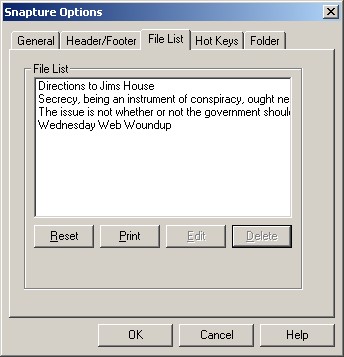
This shows you the list of files (Snaps). If you reset this list, you will have the option to delete those files, or just reset the list.
Double-click or select and hit [Edit] to edit a Snap in your text editor.
Choose a file and hit [Print] to print a snap to your default printer.
Select and hit the delete key, or hit [Delete] to delete a Snap. The file will be deleted along with the line in the File List.